
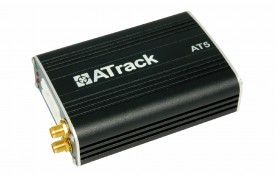


The ATrack AT5i is a versatile and multifunctional tracking device that provides reliable and up-to-date tracing information for your vehicle. It utilizes the GPRS network to give you real-time updates on your vehicle's current position and movement status. With the AT5i, you can also customize events based on your specific needs, making it a highly flexible tracking solution. One of the standout features of the AT5i is its support for both GPS and GLONASS, allowing for more accurate and precise tracking. It also features multiple Digital and Analog I/O ports, making it compatible with a wide range of hardware applications. In terms of security, the AT5i offers AES-128 data encryption, ensuring that your tracking data is protected. It also has GPS antenna tamper detection and reporting, providing an extra layer of security for your vehicle. The AT5i is not just a tracking device, but also a powerful management tool. It supports configurable real-time tracking and logging, allowing you to monitor your vehicle's movements and performance. It also has 64 user-defined geo-fences in various shapes, giving you the ability to set up virtual boundaries and receive alerts when your vehicle enters or exits these areas. With its robust feature set and reliable performance, the ATrack AT5i is an excellent choice for anyone looking for a high-quality GPS tracker for their vehicle. Whether you need it for personal use or for fleet management, the AT5i offers the functionality and versatility to meet your needs.
Set Up AT5i
To set 3R63sL you need to configure as follows. With the following script
- Set ACC event
ZFvihO3Bwih
7vbzkDWDzkZAnqFSOFoo1sN7IImr
1WJmdDBANkZ9uvPYJYkOnbn95EuD
E4ooofkzPUieC - Set time interval to 60 seconds
vkdMxdeMvKiPXKsFo3 - Set to binary mode
qkALUHbT9yKgye21w - Set the GPRS server
HYytyfJIzueapVNsvdNP1cJoyB7SQLwS1cPYiG22jy5675n8PMGWuomJgXsbpqDtoAaWQvqmA
To check device status c1E4DOfuE


